

Scheduled Re-Validation
A schedule re-validates one tax identifier on a fixed cadence, so your records stay current without anyone remembering to re-check. Each run is a normal check — it produces a stored result, respects your manual-review settings, and can notify your systems by webhook.
Manage schedules under VAT Checker → Schedules.
Cadences
Section titled “Cadences”| Frequency | Next run after each run |
|---|---|
| Monthly | 30 days |
| Quarterly | 91 days |
| Yearly | 365 days |
The scheduler picks up due schedules within a minute of their due time.
Creating a schedule
Section titled “Creating a schedule”There are three ways:
- Standalone — Schedules → Create Schedule. The schedule runs its first check right away, then on the chosen cadence.
- Attached to a check — tick “Repeat this validation on a schedule” in the New validation modal. Since the check itself just ran, the schedule’s first run is one interval later.
- Via API — see the VAT Checker API.
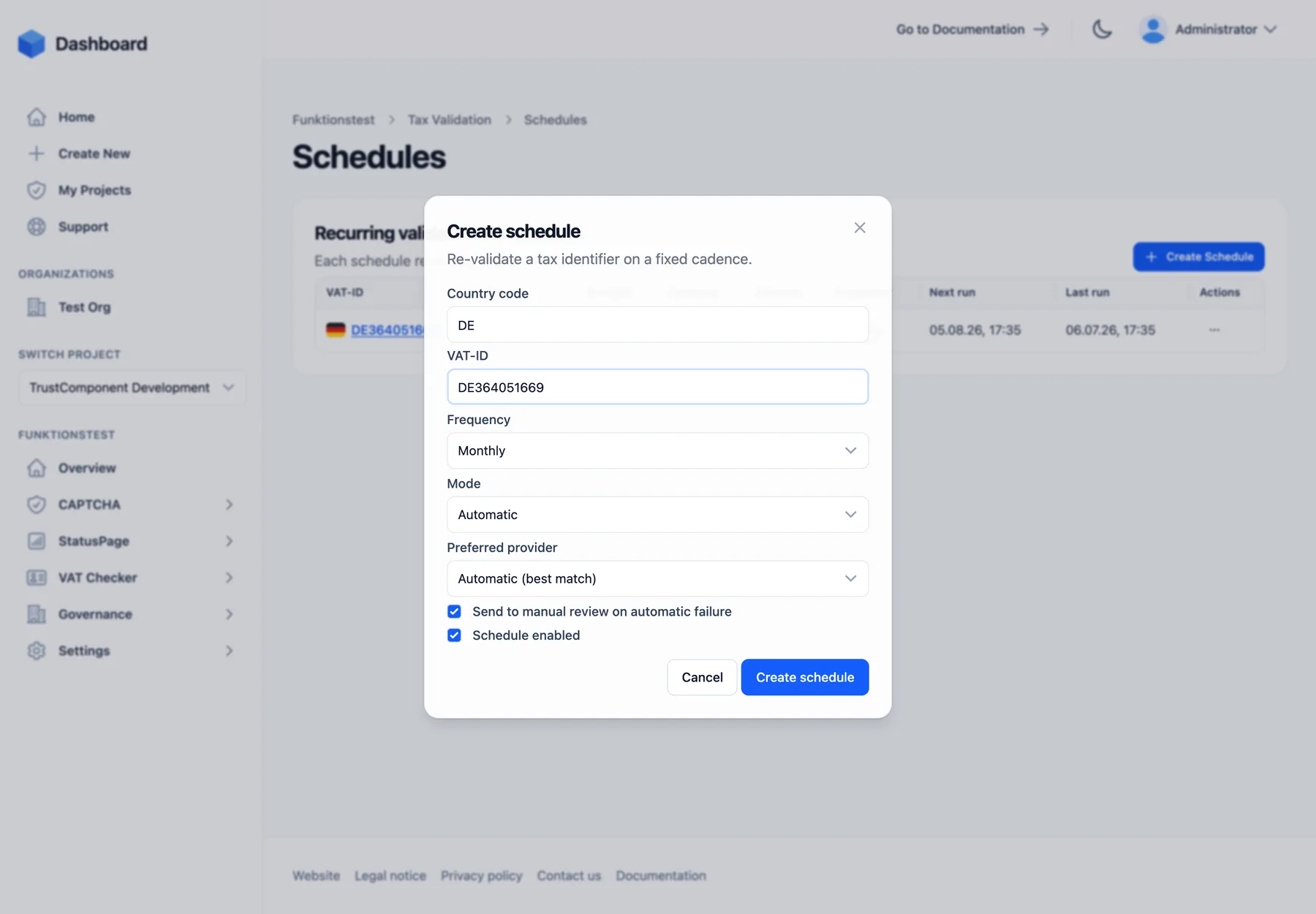
| Field | Required | Default | Notes |
|---|---|---|---|
| Country code | Yes | DE | 2-letter ISO code |
| VAT-ID | Yes | — | Same normalization as a check; resolves to (or creates) the tax identifier |
| Frequency | Yes | Monthly | Monthly / Quarterly / Yearly |
| Mode | Yes | Automatic | Automatic or Manual — a Manual schedule queues a manual review each run |
| Preferred provider | No | Automatic (best match) | Pin a registry; only plan-included providers are listed |
| Send to manual review on automatic failure | — | On | Per-schedule override of the failure behavior |
| Schedule enabled | — | On | Uncheck to create it paused |
One identifier can have multiple schedules, and there is no hard cap on the number of schedules — but each run consumes one validation from your quota, so cadence × identifiers is what drives usage.
Managing schedules
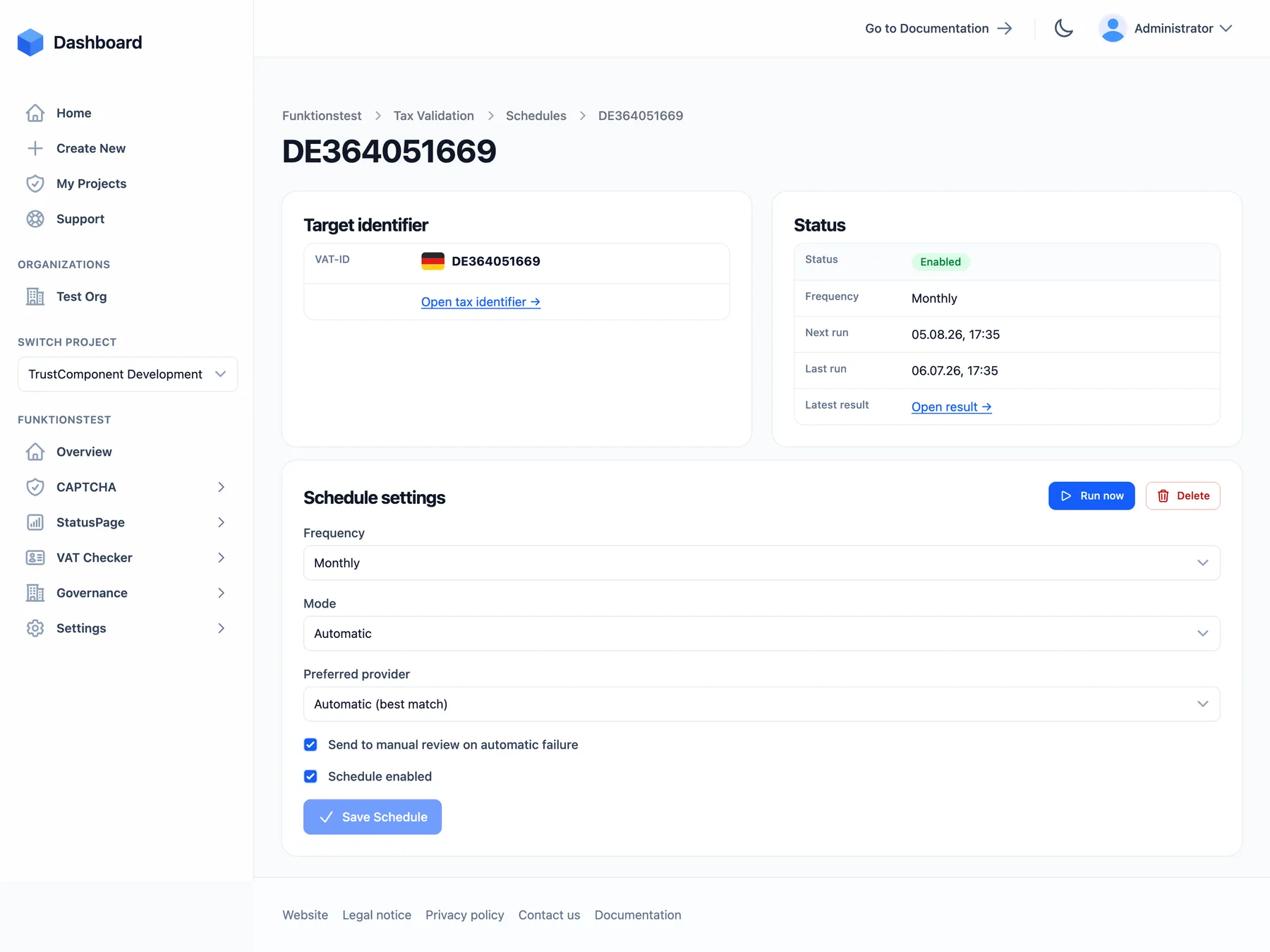
Section titled “Managing schedules”The schedules list shows per schedule: the VAT-ID, status (Enabled / Disabled), provider, company, address, frequency, next run, and last run. Row actions (and the same on the schedule’s detail page):
- Edit — change frequency, mode, preferred provider, the manual-review flag, or enabled state. The target identifier can’t be changed — create a new schedule instead.
- Run now — triggers a check immediately without moving the next scheduled run.
- Disable / Enable — pause without deleting; a disabled schedule keeps its configuration and history but never runs.
- Delete — stops future runs; past validation results stay untouched.
The schedule’s detail page also links the latest result it produced, and each identifier’s detail page shows whether an Active schedule exists.
Behavior details
Section titled “Behavior details”- Each run creates a normal validation request with trigger Schedule — it goes through the same retry and manual-review flow as any other check, and fires the same webhooks.
- Every run is metered like a manual check.
- A failed scheduler tick is retried automatically on the next tick — runs are never silently skipped.
- If a tax identifier is deleted (manually or by data retention), its schedules are deleted with it.

