

VAT Checker
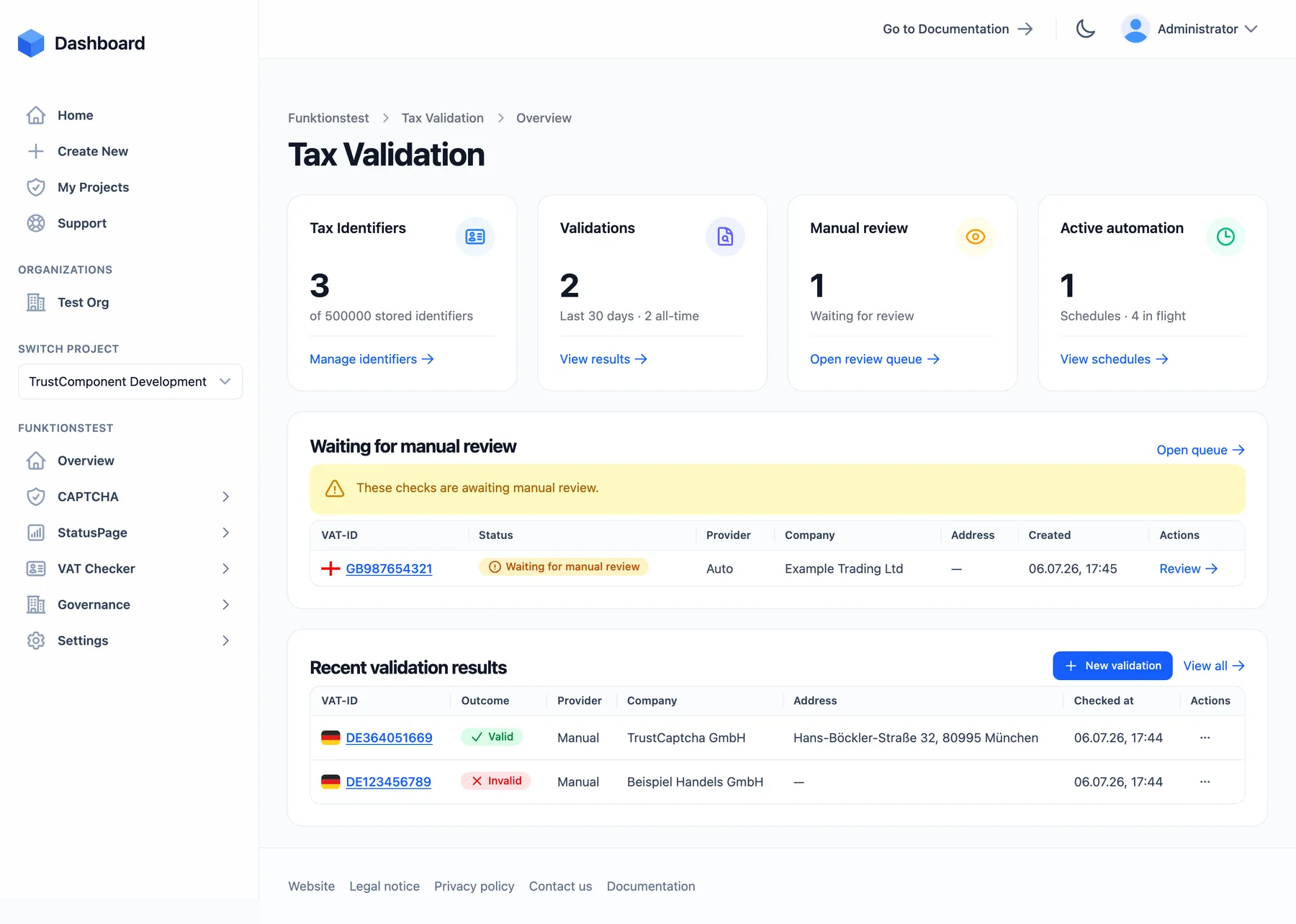
The TrustComponent VAT Checker validates VAT and business identifiers against official registries — for a single ID, for large batches, or automatically on a recurring schedule. Every check is stored with the registry’s raw response as audit-ready evidence, and your systems can be notified of each result by webhook.
What you can do
Section titled “What you can do”- Check a single VAT ID ad-hoc from the dashboard, or validate in batches via the API.
- Match company name and address against the registry record — field by field, using the registry’s own qualified-check verdicts where available (VIES, BZSt).
- Schedule recurring re-validation (monthly, quarterly, yearly) for ongoing compliance.
- Resolve edge cases by hand in the Manual Review Queue, or record verifications done outside the system.
- Keep evidence: the registry’s raw response is archived with every automatic check; attach screenshots or letters as additional evidence.
- Export audit-ready reports — PDF/JSON bundles with SHA-256 checksums per check or per ID, and bulk CSV/JSON/Excel exports.
Supported identifiers & registries
Section titled “Supported identifiers & registries”| Scheme | Registry queried |
|---|---|
| EU VAT (all member states + Northern Ireland) | VIES — plus Germany’s BZSt qualified confirmation for German requesters |
| UK VAT | HMRC |
| Switzerland UID | Swiss UID registry (Zefix) |
| Norway organization number | Brønnøysund (BRREG) |
| Australia ABN | Australian Business Register (ABR) |
| New Zealand NZBN | NZBN registry |
| Singapore UEN, Malaysia TIN, India GSTIN, Canada BN, other | Stored & checked via manual review |
Details per scheme and registry: Checking VAT IDs.
Core concepts
Section titled “Core concepts”flowchart TD
TI["Tax Identifier
a stored VAT/business ID"]
VR["Validation Request
a check in progress"]
RES["Validation Result
permanent record + evidence"]
SCH["Schedule
recurring re-validation"]
MR["Manual Review Queue"]
TI --> VR
SCH --> VR
VR -->|automatic| RES
VR -->|needs a human| MR
MR --> RES
RES --> TI- Tax Identifier — a stored VAT/business ID; the hub for all its checks, history, and schedules.
- Validation Request — a single check in progress (from the dashboard, the API, or a schedule). Once completed, only the result remains.
- Validation Result — the permanent outcome: Valid / Invalid / Unknown / Source unavailable / Not supported, the registry used, per-field match verdicts, the raw response, and any evidence.
- Schedule — recurring re-validation of one identifier on a monthly, quarterly, or yearly cadence.
- Manual Review — a queue for checks that need a human verdict.
Getting started
Section titled “Getting started”The VAT Checker is a module inside a project — add it when you create a project or later under Settings › Modules & Add-ons. Then:
- Check your first VAT ID from VAT Checker → Overview → New validation — add the company name and address if you want them matched.
- Review the result: outcome, registry, match verdicts, and the raw response.
- (Optional) Attach a schedule for automatic re-checks, configure notification recipients in Settings, or integrate the API for batch and programmatic checks.
Checking VAT IDs The validation form, ID schemes, registries, retries, and match logic.
Scheduled Re-Validation Recurring checks — cadences, run-now, pausing.
Manual Review Resolve checks that need a human decision.
Results, Evidence & Reports Stored evidence, report bundles, exports, retention.
VAT Checker API Validate, batch, schedule, and fetch results programmatically.

