

Manual Review
Not every check can be decided by a machine: a registry may be down, an ID scheme may have no automatic source, or you may simply want a human verdict on record. These checks land in the Manual Review Queue (VAT Checker → Manual Review Queue), where an operator resolves them into a normal, permanently stored result.
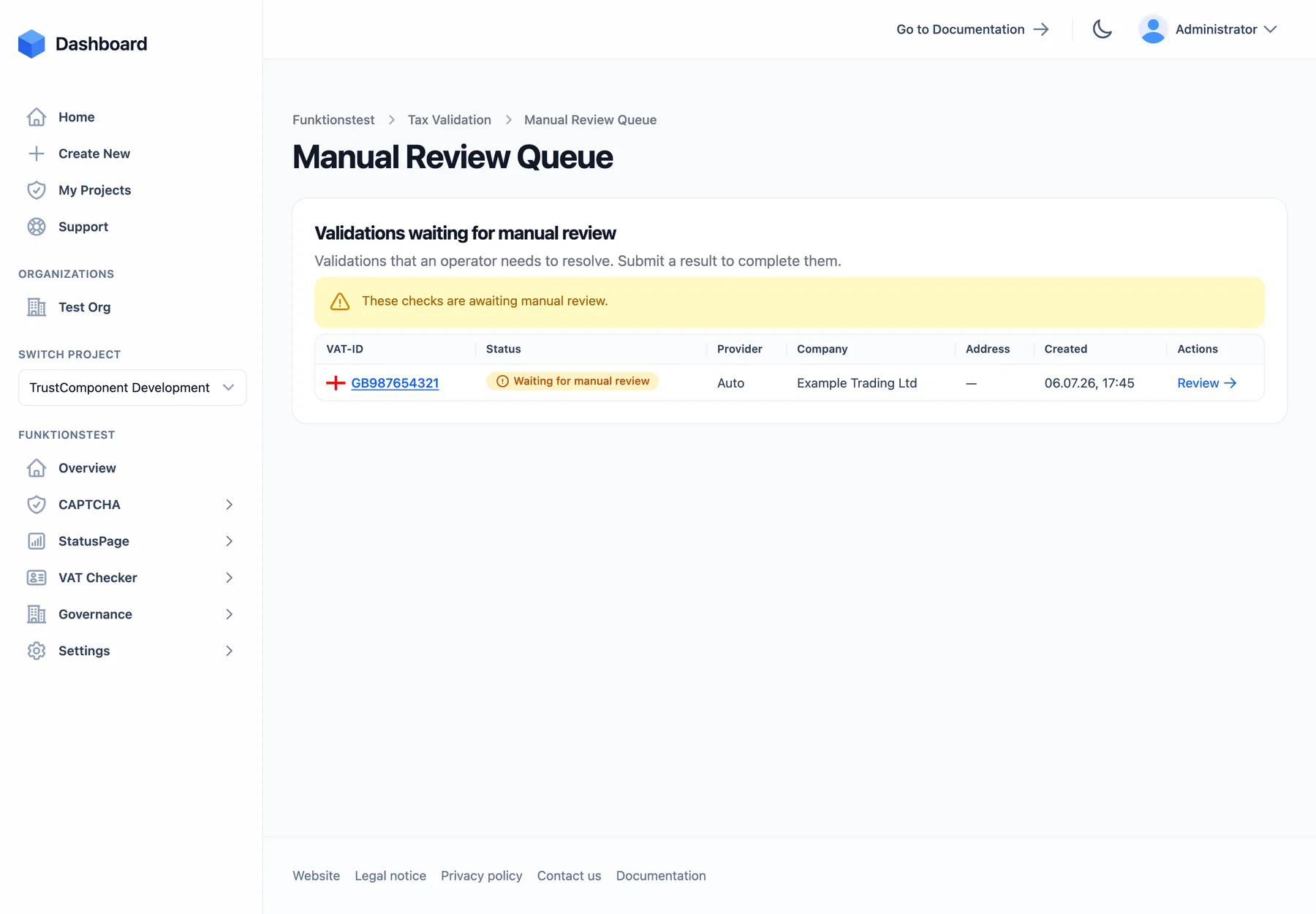
When a check goes to manual review
Section titled “When a check goes to manual review”A validation request enters the queue when:
- Mode is Manual — chosen per check, per schedule, or as the default mode in Settings. The request skips the registry entirely and waits for a human.
- An automatic check fails — the registry stayed unreachable after all retries — and “Send to manual review when an automatic validation fails” is enabled (the default; configurable in Settings and per schedule). If it’s disabled, a failure result (e.g. Source unavailable) is stored instead.
- No automatic source applies — the ID scheme has no registry integration, or the required provider isn’t part of your plan.
When a request enters the queue, the notification recipients get an email, and the taxvalidation.validation.manual-review-required webhook fires. Requests stay in the queue until resolved — there is no expiry.
Resolving a request
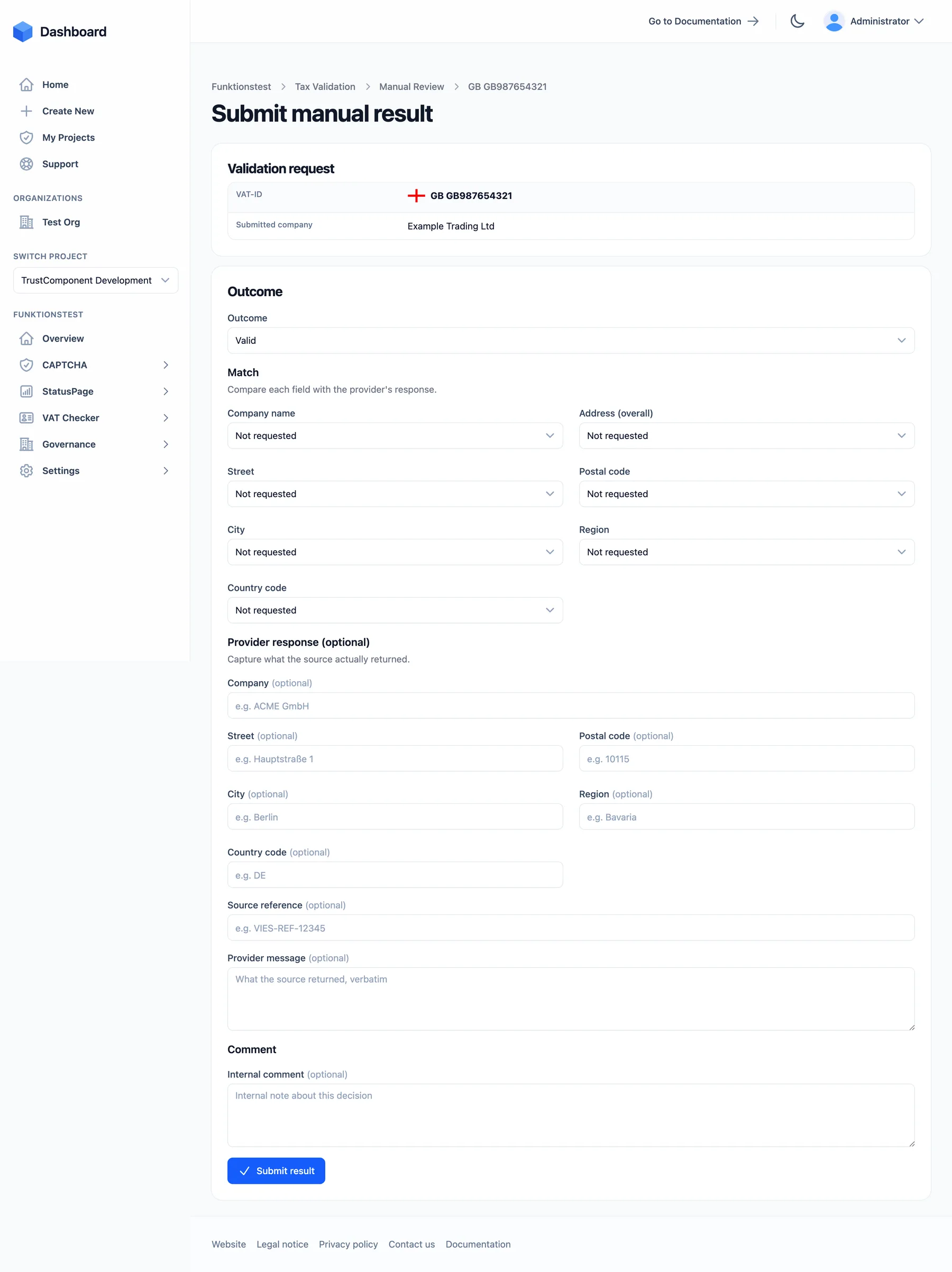
Section titled “Resolving a request”Open a request via its Review button. The form shows what was submitted (ID, company, address) and lets you record the verdict:
| Section | Fields |
|---|---|
| Outcome | Valid, Invalid, Source unavailable, Not supported, or Unknown |
| Match | One verdict per field — company name, address (overall), street, postal code, city, region, country code — each Match / No match / Partial match / Not requested / Not provided / Unknown |
| Provider response (optional) | What the source actually returned, verbatim: company, address fields, a source reference (e.g. a registry confirmation number), and a provider message |
| Comment | Internal note about the decision (max. 2,048 characters) |
Submit result completes the review. The stored result is marked with verification method Manual and records you as the actor — auditors can always tell a human verdict from a registry response. The completed request leaves the queue, and the usual validation.completed (and, for Invalid, validation.invalid) webhooks fire.
Manual reviews don’t consume an extra validation — the check was already metered when it was created. Resolving requests requires the member or admin role.
Recording a result directly
Section titled “Recording a result directly”Sometimes a check happens entirely outside the system — a confirmation letter from a tax office, a registry checked by phone, a verification done before you used the VAT Checker. VAT Checker → Validation Results → Record result stores such a verdict without any request:
| Field | Notes |
|---|---|
| Country code / VAT-ID | Resolves to (or creates) the tax identifier |
| Outcome | Valid, Invalid, Unknown, Source unavailable, Not supported |
| Company name | Optional |
| Checked at | Optional — backdate to when the verification actually happened |
| Comment | Optional internal note |
| Address details | Optional |
Directly recorded results count as one validation and appear in the results list with provider Manual, alongside automatic checks.
Notifications
Section titled “Notifications”Which Project members are emailed about pending reviews (and other events like failed validations) is configured under VAT Checker → Settings → Notification recipients — only members of the Project can be selected. If the list is empty, nobody is emailed; the webhook still fires.
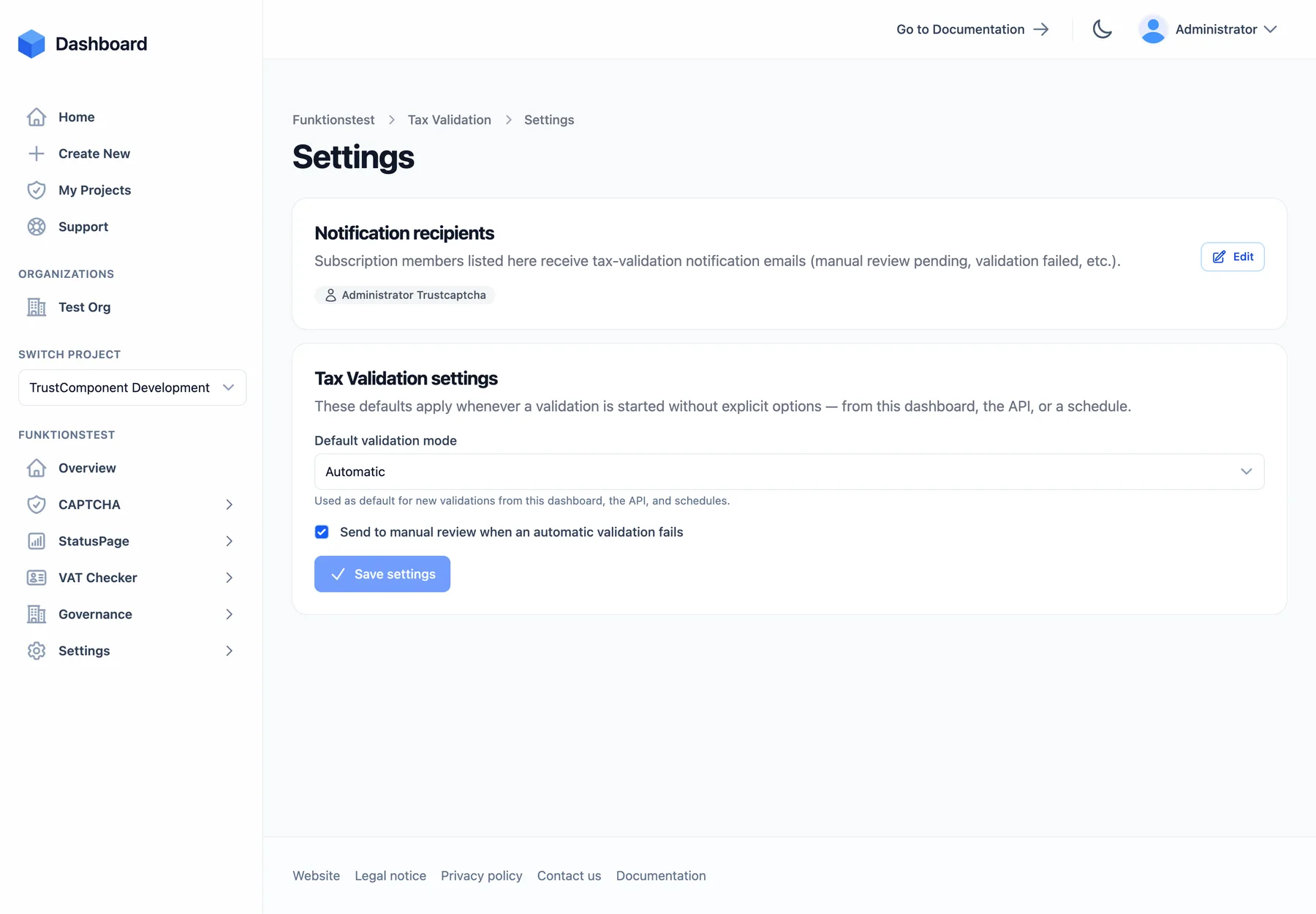
The Settings page (visible to admins) also holds the two defaults that drive manual review:
- Default validation mode — Automatic or Manual; applies whenever a check is started without an explicit mode (dashboard, API, and schedules).
- Send to manual review when an automatic validation fails — the Project-wide fallback behavior (default: on).

