

Alerts & Escalation
Alert rules decide when you get notified and how the notification escalates. A rule belongs to one service and combines a trigger condition with an ordered list of notification steps; each step fires after a delay and notifies one or more alert channels. Every fired step is recorded as an alert in the log under Monitoring → Alerts.
flowchart LR
    T["Service becomes
Major Outage"] --> S1["Step 1: immediately
→ #ops Slack"]
    S1 --> S2["Step 2: after 5 min
→ on-call SMS"]
    S2 --> S3["Step 3: after 15 min
→ voice call, repeat ×3"]
Creating an alert rule
Section titled “Creating an alert rule”Alert rules live on the service detail page under All Alert Rules → Create Alert Rule:
| Field | Required | Constraints |
|---|---|---|
| Name | Yes | 3–50 characters |
| Short description | No | Max. 256 characters |
| Scenario | Yes | Becomes unhealthy, Recovers, or Custom |
| Alert channel(s) | Yes | At least one channel; multiple channels per rule is a plan feature |
| Severity | Yes | Info, Warning, or Critical (default Critical) |
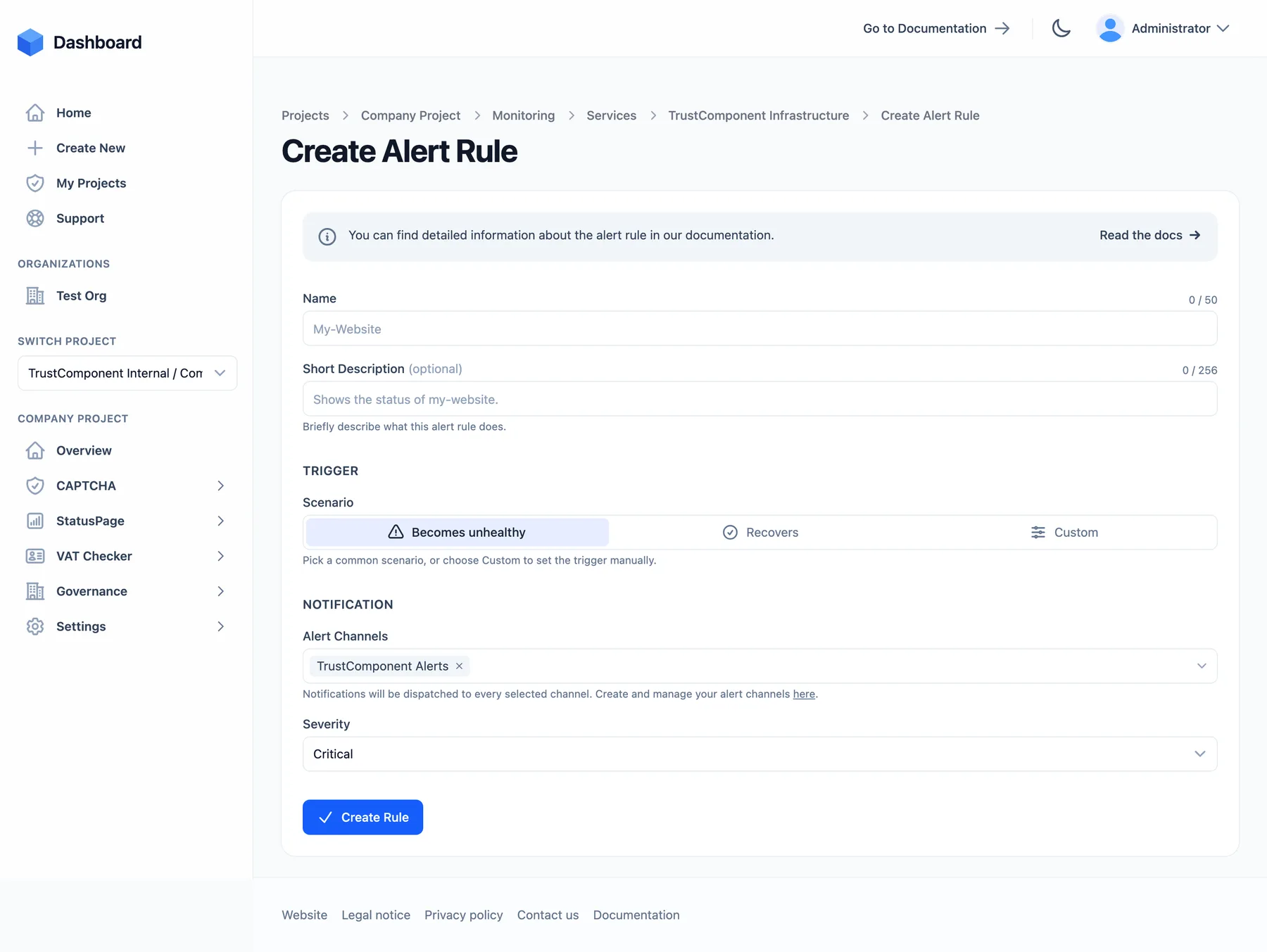
The two ready-made scenarios cover the standard pair of rules most services want:
- Becomes unhealthy — fires when the service enters Degraded, Partial Outage, or Major Outage (from any previous state).
- Recovers — fires when the service returns from one of those states to Operational.
Custom triggers
Section titled “Custom triggers”Choose Custom to control the exact transition:
| Setting | Meaning |
|---|---|
| Previous states | Fire only when the service was previously in one of these states. Empty = any state. |
| Reached states | Fire (and stay firing) while the service is in one of these states. Empty = any state. |
| Consecutive | How many checks in a row must show the reached state (1–10) — an extra flap guard on top of each monitor’s failure threshold. |
Selectable states: Operational, Degraded, Partial outage, Major outage, No data, Paused, Maintenance. For example, Previous: Major outage → Reached: Degraded notifies you when a hard outage only partially recovers.
Escalation: notification steps
Section titled “Escalation: notification steps”A new rule starts with a single step that fires immediately. On the rule’s detail page you can build an escalation chain — add steps with Add Step (plan feature; up to 20 steps per rule):
| Setting | Options |
|---|---|
| Alert channel(s) | Which channels this step notifies |
| Severity | Info / Warning / Critical — per step, so escalation can raise the stakes |
| Delay | Immediately, 1 / 2 / 3 / 5 / 10 / 15 / 30 min, 1 / 3 / 6 / 12 h, 1 day after the rule starts firing |
| Repeat | No repeat, every 1 / 5 / 10 / 15 / 30 min, every 1 / 3 / 6 / 12 h, every day — re-sends while the service stays in the matched state |
| Max. repeats | 1–5 (only when repeat is on) — hard cap per firing cycle, protects against alert storms and SMS/voice costs |
How a firing cycle runs:
- The rule’s condition matches → the cycle starts; steps whose delay has elapsed fire (evaluated every ~30 seconds).
- Steps keep firing/repeating on schedule while the service remains in the matched state.
- The cycle ends when the service changes state (e.g. recovers), the rule is disabled, the service enters maintenance — or when someone acknowledges the alert.
A rule that is currently firing shows a Firing badge in the rules table; Acknowledged and No channels badges warn you about silenced or dead-end rules.
Acknowledging alerts
Section titled “Acknowledging alerts”Alert emails contain a one-click acknowledge link. Acknowledging stops all further escalation steps and repeats for the current firing cycle only — the next state change starts a fresh cycle with a fresh acknowledgement. The link needs no sign-in and is bound to its cycle, so a stale link can never silence a later outage. It also works from scripts — see the acknowledge endpoint.
The alerts log
Section titled “The alerts log”Monitoring → Alerts lists every alert across all services, newest first: timestamp, service, rule, the status transition (e.g. Operational → Major Outage), severity, and the channels notified. The same log appears filtered on each service page (Latest Alerts) and each channel page. Entries are kept according to your plan’s data-retention period.
Severities: Info · Warning · Critical · Test (sent via Test Alert on a channel).
Rules of thumb
Section titled “Rules of thumb”- Create the rules in pairs: one Becomes unhealthy rule and one Recovers rule per service, sharing the same channels.
- Escalate severity across steps — Slack first, SMS after 5 minutes, voice call after 15.
- Use Consecutive > 1 only for rules on flappy services; for everything else, tune the monitor’s failure threshold instead.
- Alerts are suppressed during maintenance windows — no need to disable rules for planned work.
Limits
Section titled “Limits”| Limit | Value |
|---|---|
| Alert rules per service | 100 |
| Notification steps per rule | 20 (multiple steps are a plan feature) |
| Max. repeats per step | 5 |
| Consecutive | 1–10 |

