

CAPTCHA Security Rules
Here you can find out everything you need to know about the security settings of the CAPTCHA. TrustCaptcha gives you fine-grained control over who can use your CAPTCHA, how challenges are tuned, and which traffic is trusted, throttled, or blocked outright.
Authorized Domains
Section titled “Authorized Domains”The CAPTCHA widget can only communicate with our backend if the calling domain is explicitly listed as an authorized domain. This prevents unauthorized third parties from embedding your CAPTCHA on their websites — which would otherwise generate unwanted load and costs for you. Any request from a non-authorized origin is rejected before a verification is even started.
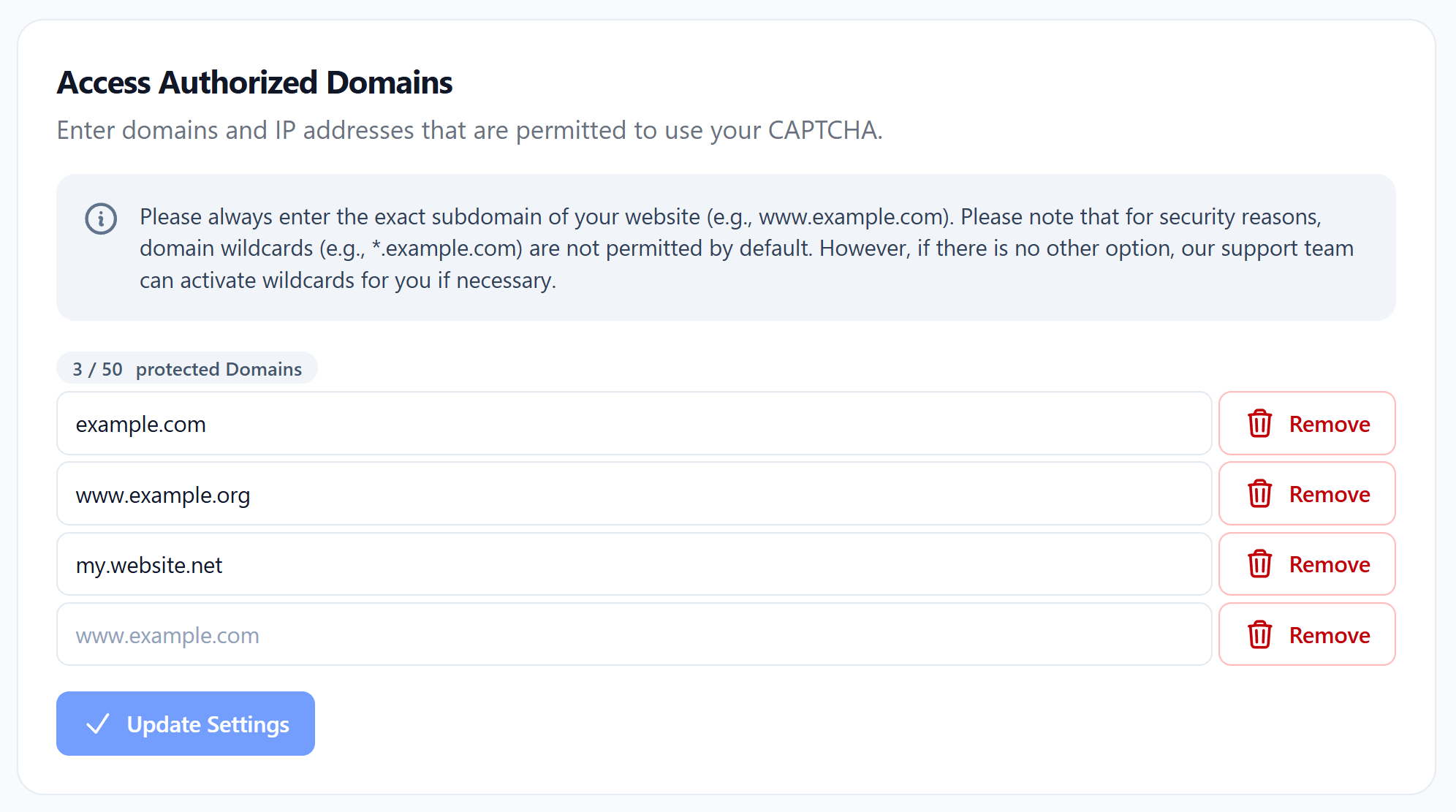
Accepted values
- A concrete domain or subdomain, e.g.
example.comorwww.example.com. The value must be exact — enteringexample.comdoes not automatically includewww.example.com. - An IPv4 address (e.g.
1.2.3.4) or IPv6 address (e.g.2001:aaa::1). localhostfor local development.
Wildcards
Wildcard domains such as *.example.com are technically supported but only available on selected plans. When enabled, a wildcard covers all direct subdomains of the given domain.
Environments share the domain quota
If you use multiple environments, all authorized domains across your environments count against the same total quota. For example, if your plan allows 10 authorized domains and you use 2 in one environment and 3 in another, you have 5 remaining domains available across all environments.
Proof-of-Work Rules
Section titled “Proof-of-Work Rules”Proof-of-Work rules let you fine-tune the difficulty of the Proof-of-Work for specific traffic patterns. They take precedence over the global difficulty configured in the Advanced Settings and are applied whenever the conditions of a rule match the incoming request.
This is useful, for example, to make the CAPTCHA noticeably faster for trusted regions or known internal networks, or to harden it for traffic patterns that have been suspicious in the past — without affecting all users.
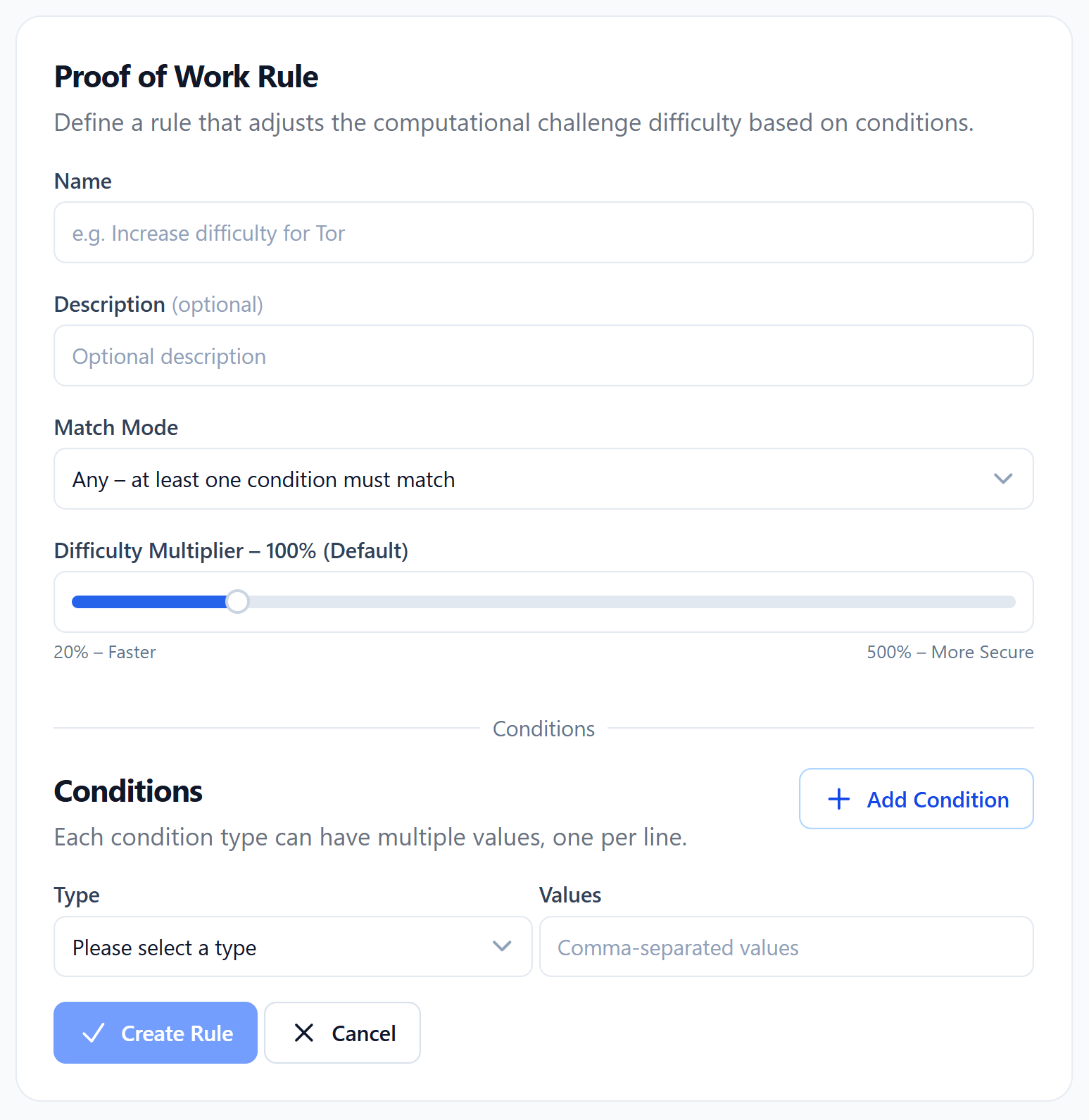
Configuration options
- Name — a short label for the rule.
- Description (optional) — additional context for your team.
- Match Mode — choose between Match None, Match Any, or Match All of the configured conditions.
- Difficulty Multiplier — a slider from 20% (faster) up to 500% (more secure). 100% equals the global default. Lower values reduce challenge difficulty and duration; higher values increase them.
- Conditions — add one or multiple conditions of the following types: IP address, country, region, browser family, OS family, device class, language, time zone, and fingerprint. Each condition supports multiple values (for example several IP addresses or networks, or several countries selected via the multi-select). The selected match mode determines how those conditions are combined.
How rules apply
If a request matches a Proof-of-Work rule, that rule’s difficulty multiplier replaces the global one for this verification. Only one rule applies per request — the global difficulty from the Advanced Settings is the fallback when no rule matches.
Access Rules
Section titled “Access Rules”Access rules decide whether a request is allowed to proceed at all. They are evaluated at the very beginning of every verification — right after Bypass Keys — and are the strongest control you have over who can use your CAPTCHA.
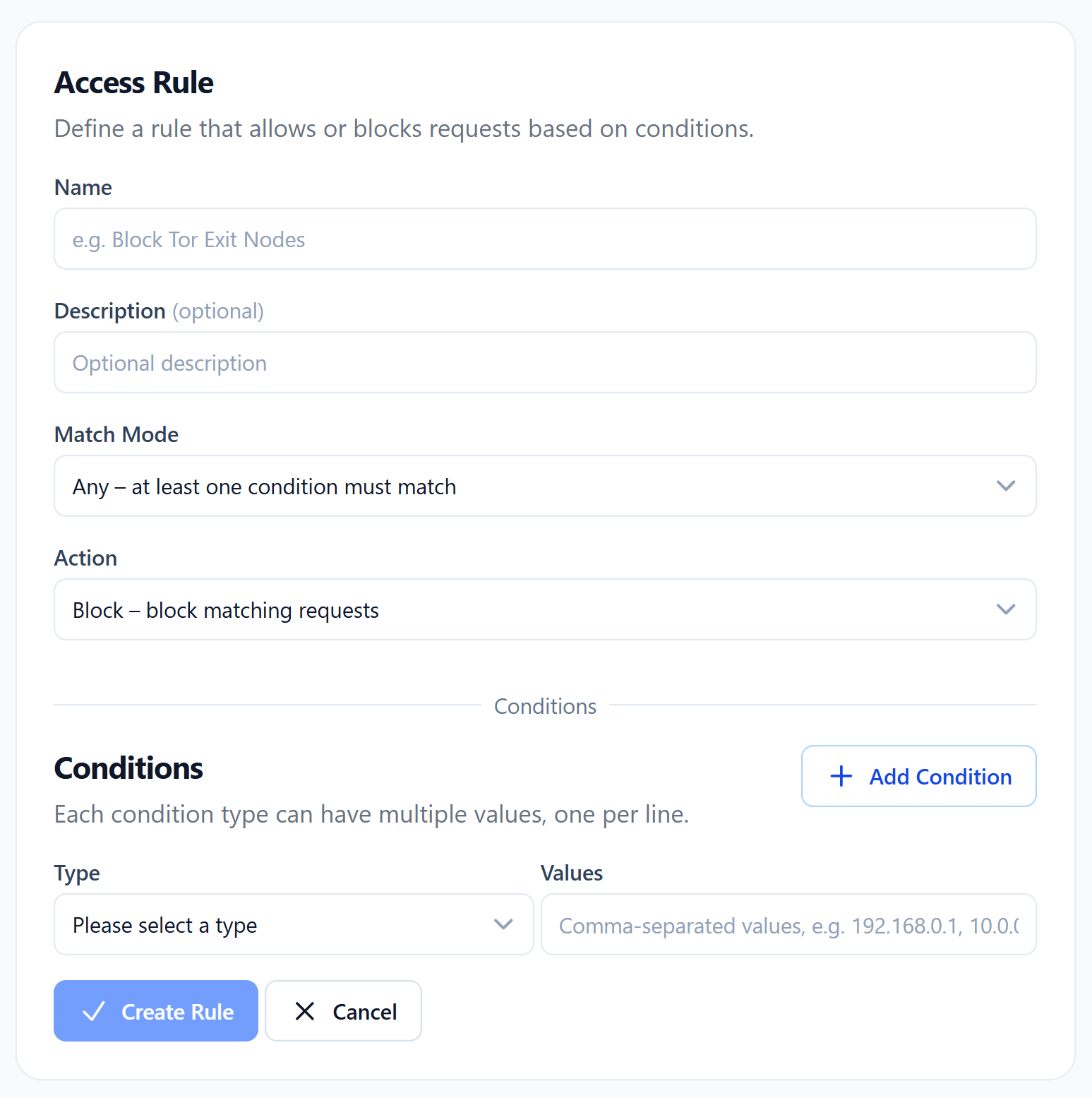
Configuration options
- Name — a short label for the rule.
- Description (optional) — additional context for your team.
- Match Mode — Match None, Match Any, or Match All of the configured conditions.
- Action — Allow or Block.
- Conditions — combine any of the following: IP address, country, region, browser family, OS family, device class, language, time zone, and fingerprint. As with Proof-of-Work rules, every condition accepts multiple values.
How the action affects the verification
- Allow — the request passes immediately. It always receives a Bot Score of
0(human) and is not required to solve a Proof-of-Work task. - Block — the request is rejected. It always receives a Bot Score of
1(bot) and is additionally served a particularly difficult Proof-of-Work task.
IP Allowlist & Blocklist
Section titled “IP Allowlist & Blocklist”The IP allowlist and blocklist provide a quick way to always trust or always reject specific IP addresses. Under the hood they are implemented as access rules, but they are surfaced as simple lists for convenience.
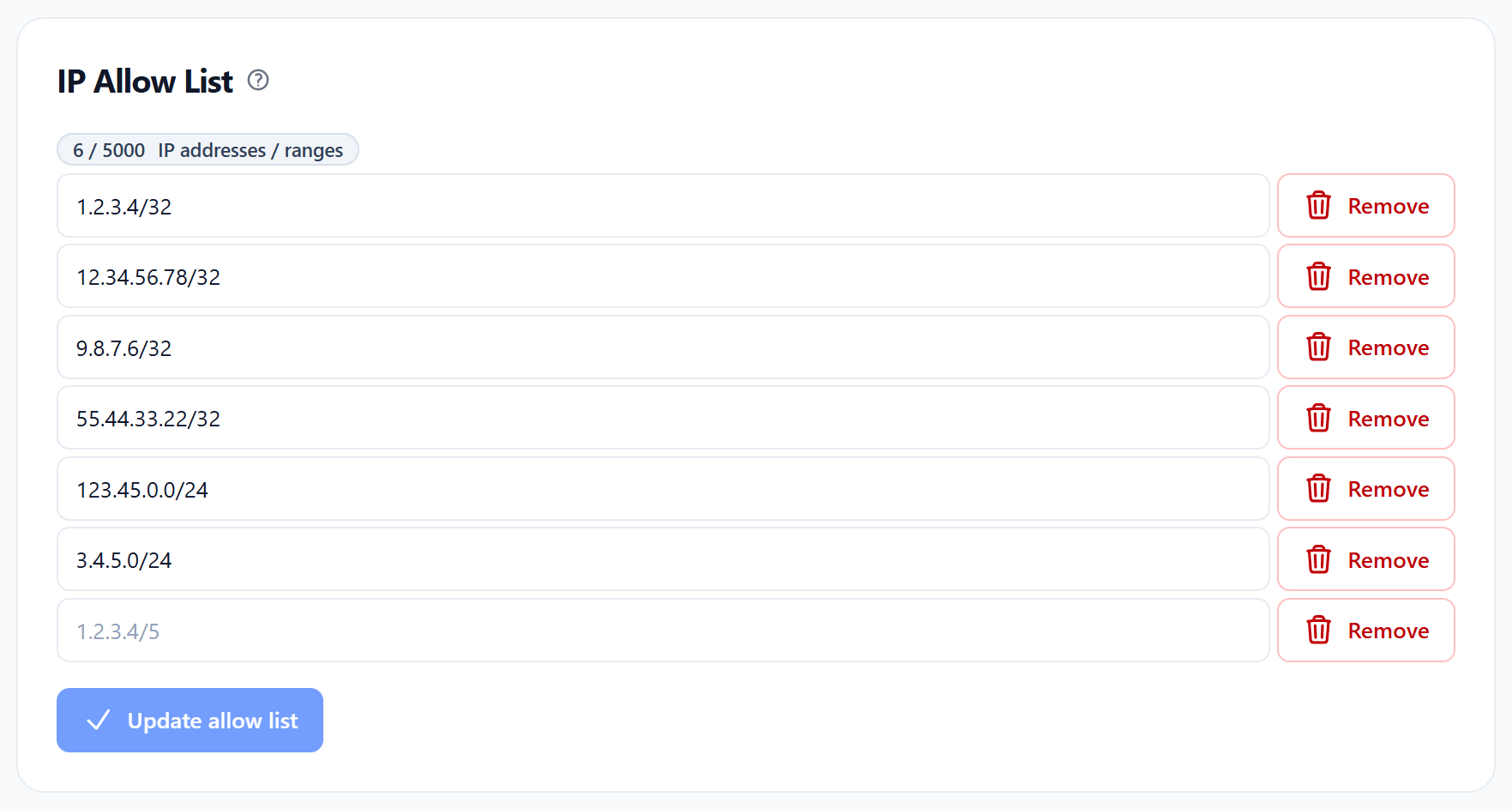
Behavior
- Allowlist — clients whose IP address matches an entry always pass the CAPTCHA: Bot Score
0, no Proof-of-Work, no further checks. - Blocklist — clients whose IP address matches an entry are always rejected: Bot Score
1, particularly difficult Proof-of-Work. - Allowlist before blocklist — if the same address (or an overlapping range) appears in both lists, the allowlist wins. This lets you block an entire range and still whitelist specific addresses inside it.
Notation
Both IPv4 and IPv6 are supported. You can enter individual addresses or full ranges in CIDR notation:
- IPv4:
1.2.3.4/32(single address) or100.200.0.0/16(range) - IPv6:
2001:aaa::1/128(single address) or2001:bbb::/64(range)
If no subnet mask is provided, /32 is automatically added for IPv4 and /128 for IPv6.
Geoblocking
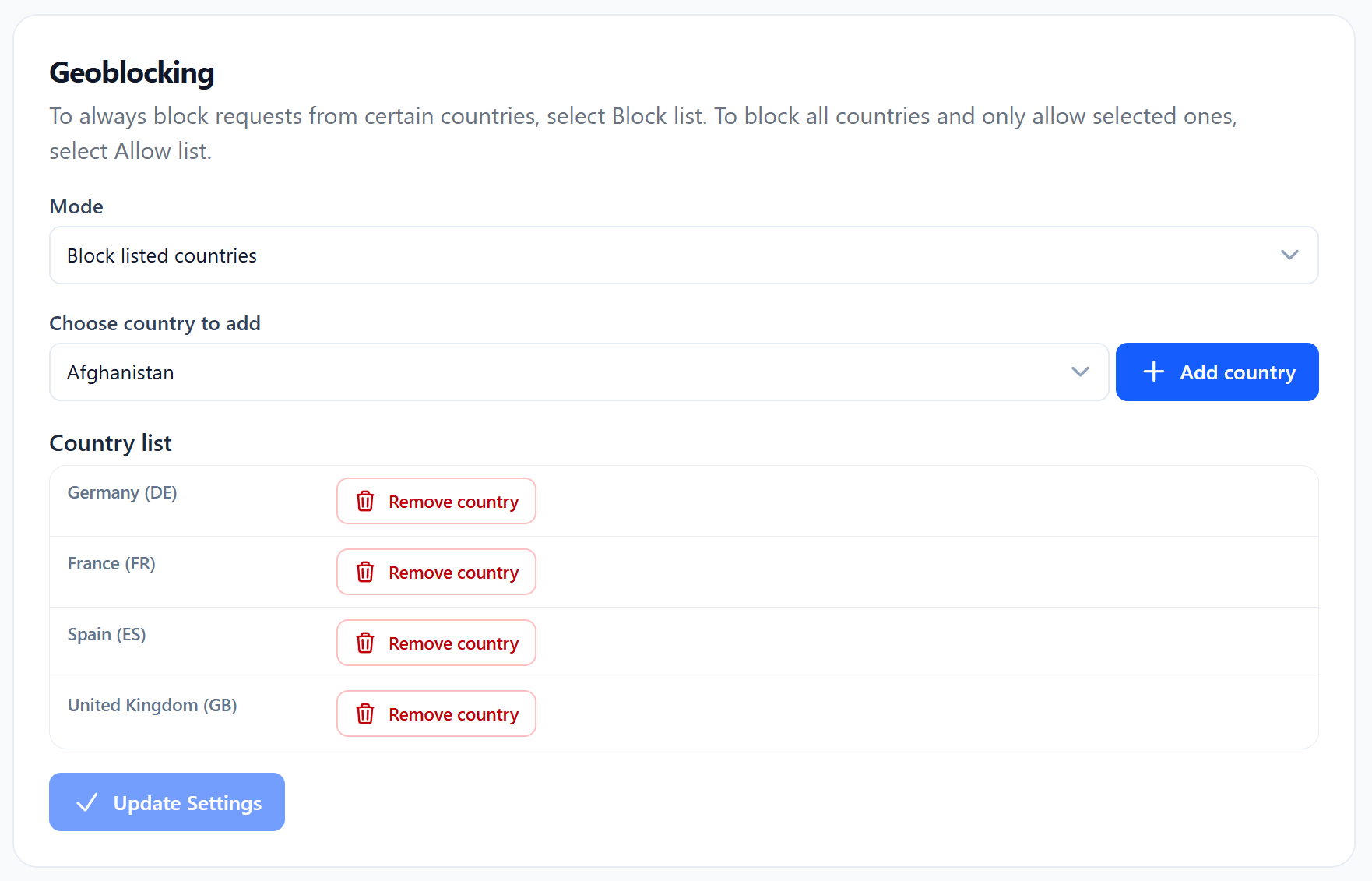
Section titled “Geoblocking”Geoblocking lets you allow or reject traffic based on the country an IP address resolves to. Like the IP lists, geoblocking is technically an access rule under the hood and behaves the same way.
Modes
- Blocklist mode — only requests from the countries you select are blocked, all others pass.
- Allowlist mode — only requests from the countries you select are allowed, all others are blocked.
Behavior
- Allowed traffic always receives a Bot Score of
0(human) and skips the Proof-of-Work. - Blocked traffic always receives a Bot Score of
1(bot), is served a particularly difficult Proof-of-Work task, and is rejected.
Limitations
Geographic IP information is not 100% accurate. IP ranges can be reassigned to different regions, and clients can use VPNs, proxies, or Tor to disguise their location. Geoblocking is therefore best used as one signal among others, not as your only line of defense.
Bypass Keys
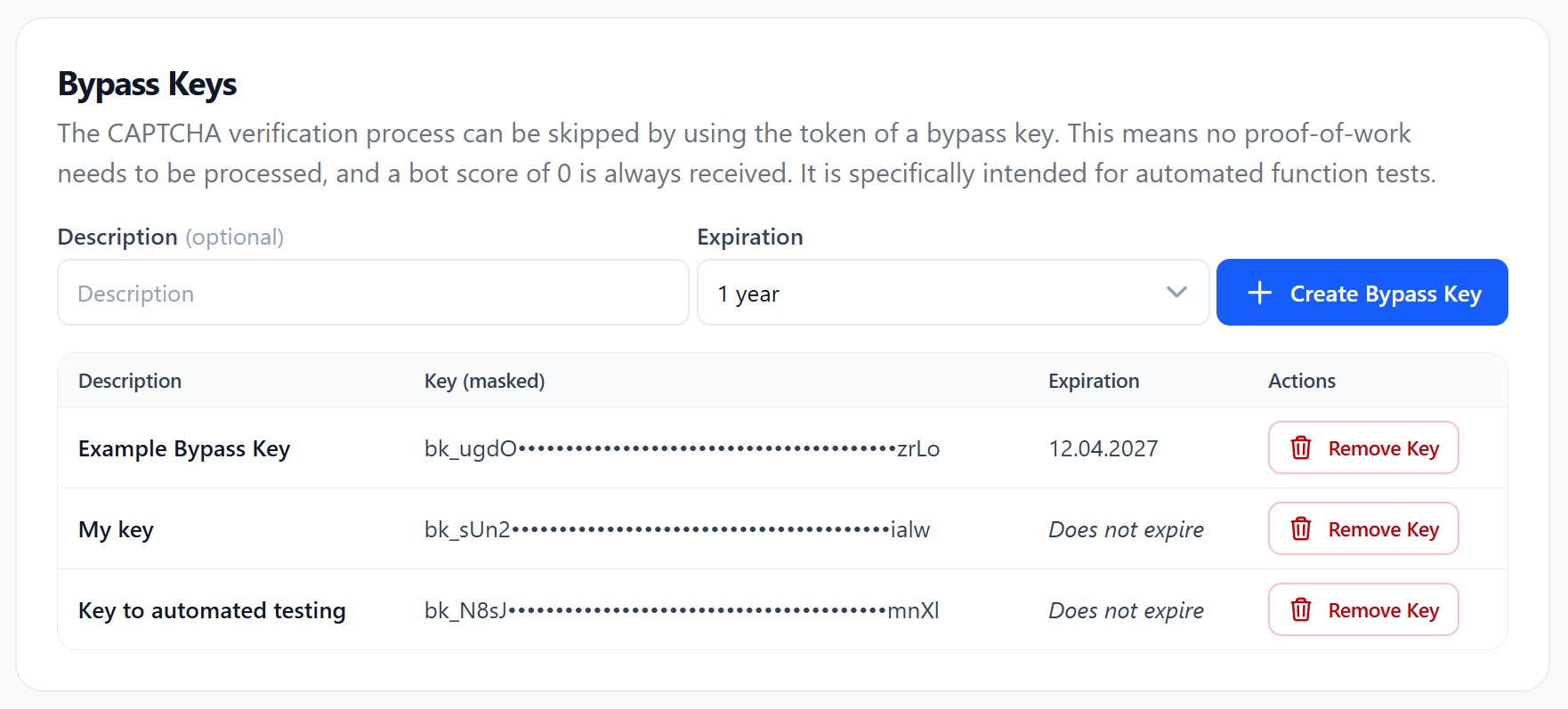
Section titled “Bypass Keys”Bypass keys allow trusted clients to skip the CAPTCHA entirely. They are evaluated before any access rule, making them the very first check in the verification flow.
Functionality
A bypass key is provided directly through the CAPTCHA widget — see the bypass-token property in the Widget Overview. When a verification is started with a valid key, it always passes: Bot Score 0 (human), no Proof-of-Work required.
Lifetime
Each key can either expire automatically at a configured date and time or remain valid indefinitely. Keys can be revoked at any time.
Use cases
Bypass keys are particularly useful for automated end-to-end and system tests, CI/CD pipelines, and similar scenarios where dynamic IP addresses make the IP allowlist impractical. They give you a deterministic way to always pass the CAPTCHA in test environments without weakening production security.
Advanced Settings
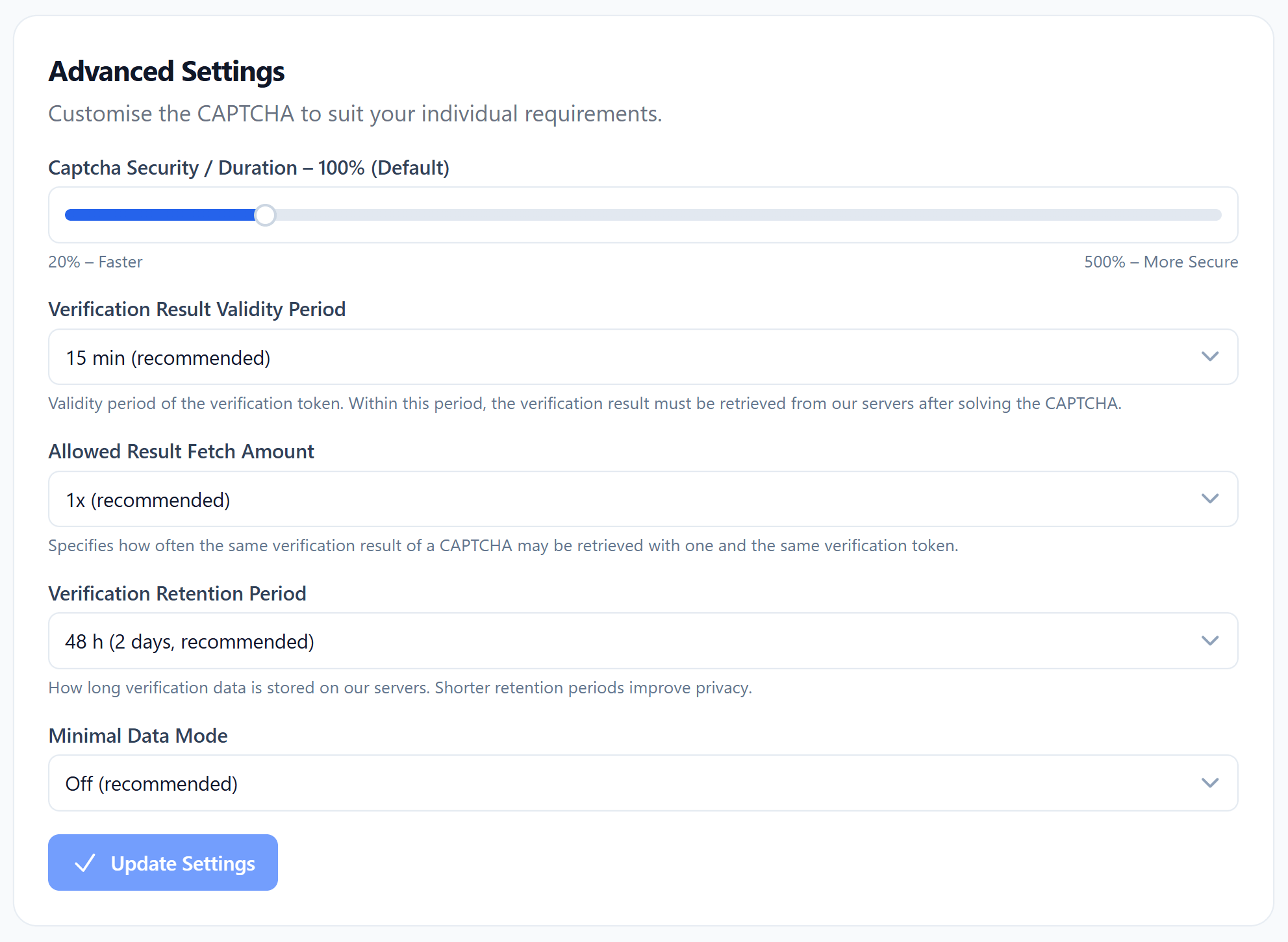
Section titled “Advanced Settings”The advanced settings define the global defaults that apply to every verification unless overridden by a more specific rule (for example a Proof-of-Work rule).
Global Difficulty Multiplier
Section titled “Global Difficulty Multiplier”The difficulty slider controls the global difficulty and duration of the Proof-of-Work for all requests. It ranges from 20% (faster — up to 80% shorter) to 500% (more secure — up to 5× harder), with 100% as the default. Higher values slow down attackers more aggressively, lower values prioritize a faster user experience.
This global value is overridden whenever a Proof-of-Work Rule matches the request.
Verification Result Validity Period
Section titled “Verification Result Validity Period”Defines for how long a finished verification can be retrieved from our servers using the verification token. The default is 15 minutes and can be configured between 5 minutes and 1 hour. After the period elapses, the result becomes invalid and can no longer be fetched.
Allowed Result Fetched Amount
Section titled “Allowed Result Fetched Amount”Controls how often the same verification result may be retrieved. The default and recommended value is 1, which guarantees that each verification token can be redeemed exactly once. You can raise the limit to 2 or 3 at your own risk if your integration needs to fetch the result multiple times.
Verification Retention Time
Section titled “Verification Retention Time”Controls how long verification data is retained on our servers and remains visible in the dashboard, where you can inspect each verification and the decisions our system made. The default is 48 hours (2 days) and can be set anywhere between 20 hours and 7 days.
Minimal Data Mode
Section titled “Minimal Data Mode”In Minimal Data Mode, our servers store and process only the absolute minimum of data required to operate the CAPTCHA. As a consequence, no Bot Score can be calculated and the score is always 0 (human) — only the Proof-of-Work remains active. To take full effect, the mode must additionally be activated in the TrustCaptcha component on your frontend so that no extended data is transmitted to our servers in the first place.
We do not recommend this mode for most use cases, as the missing Bot Score significantly reduces the security level of the CAPTCHA.

